 |
Save
LogView Window
|
 |
To save LogView
Window, Input stream, Output stream
press Save Log  button or select menu command File→Save
Log�, that will open a dialogue box:
button or select menu command File→Save
Log�, that will open a dialogue box:
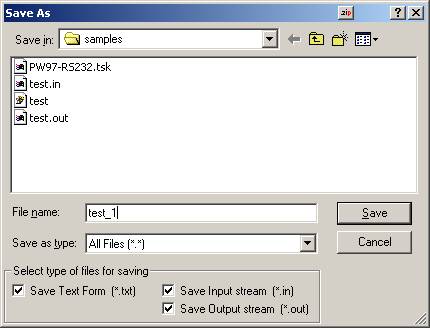
The dialogue has
additional options in the window Select type of files for
saving where you can specify type of
saving:
Save
Text
Form (*.txt)
� saving LogView Window as text
(as it is);
Save
Input
stream (*.in)
� saving input data in binary
form;
Save
Output
stream (*.out)
� saving output data in binary
form.
|


